

What is n8n?
Image Source: BrianChristner.io
n8n is a workflow automation platform that helps technical teams connect applications, services, and data through a visual interface. Users can pronounce it as “en-eight-en” or “nodemation” [1]. The platform works as a node-based system where each node stands for a specific action or event in an automated workflow. This open-source tool combines the flexibility of code with no-code solutions and serves as a strong alternative to platforms like Zapier and Make.
The platform runs on a fair-code license model that lets users host it themselves or choose cloud-based deployment [1]. Self-hosting gives organizations full control of their data and infrastructure, which makes it perfect for businesses with strict security needs. The source code stays available on GitHub, and developers can customize and extend it to their needs [2].
n8n stands out from its competitors through its technical flexibility. The platform supports JavaScript and Python scripting. Users can install external packages in self-hosted mode and access file systems and complex HTTP request features [3]. These capabilities help create sophisticated workflows that handle complex data structures and run advanced algorithms.
The platform connects with over 400 pre-built connections to various applications and services [1]. This wide network of integrations creates smooth data flow between different systems and improves operational efficiency. Users can build custom connections to any service with an API through the HTTP Request node [4] when pre-built integrations don’t exist.
The n8n community has grown into a powerhouse. The platform now has over 80,000 stars on GitHub [2] and more than 200,000 community members [5]. The platform’s reliability shows in its 4.9/5 star rating on G2 [5].
The platform has expanded its AI capabilities by integrating with LangChain and now offers nearly 70 nodes dedicated to AI applications [3]. Teams can build AI agent workflows, create chatbots with advanced contextual management, and develop analysis tools based on large language models.
Technical teams in fast-paced product development find n8n extremely valuable. Its flexible architecture helps automate complex processes, prototype features quickly, and blend new tools smoothly. The visual editor makes quick iterations possible with instant results. Teams can still add custom code when needed, which creates an ideal balance between speed and precision [6].
How does n8n work?
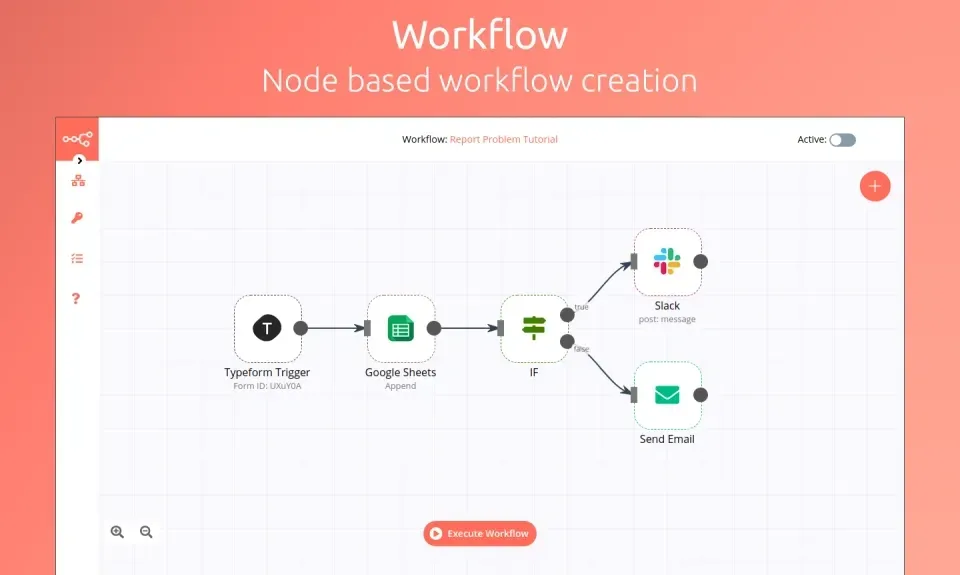
Image Source: Medium
n8n works through a node-based architecture that has several interconnected components to handle workflow creation, execution, and data processing. The system uses two main components: a visual editor frontend and a workflow execution engine backend [6].
Users design workflows by connecting nodes in sequence through the visual editor interface. The editor converts each workflow to JSON format and stores it in the database for future execution. Users can build workflows step by step because the frontend component shows outputs next to settings [7].
The workflow execution engine reads workflow definitions from the database and processes tasks one after another. Data moves through the workflow as each node’s output flows directly into the next node in the chain [6]. A detailed logging system helps with troubleshooting and tracking.
Trigger nodes start automation based on specific events in n8n workflows. These triggers can be webhooks for external application events, scheduled triggers for time-based execution, or event-based triggers that respond to API calls or database changes [8]. Data flows through connected nodes that perform specific actions like data transformation, API calls, or business logic execution after a trigger occurs.
n8n’s built-in transformers let users:
-
Route data using switch and if nodes
-
Create loops and merge data
-
Remove duplicates from datasets
-
Split lists into separate items or combine many into one
-
Apply custom code for precise data shaping [7]
n8n adapts its execution modes to specific needs. Queue mode spreads tasks across multiple worker instances while a main instance coordinates workflow information. This setup helps n8n process up to 220 workflow executions per second on a single instance [7].
The platform offers powerful debugging through execution logs. Users track workflow execution step-by-step to find failure points and boost performance [9]. The execution history shows filtered status views and lets users retry failed workflows using current or original configurations [10].
Custom code integration makes the platform flexible. Users write JavaScript or Python transformations within workflows. Self-hosted instances support npm packages to add functionality, which creates sophisticated workflows for complex data structures [7].
How to set up and run n8n
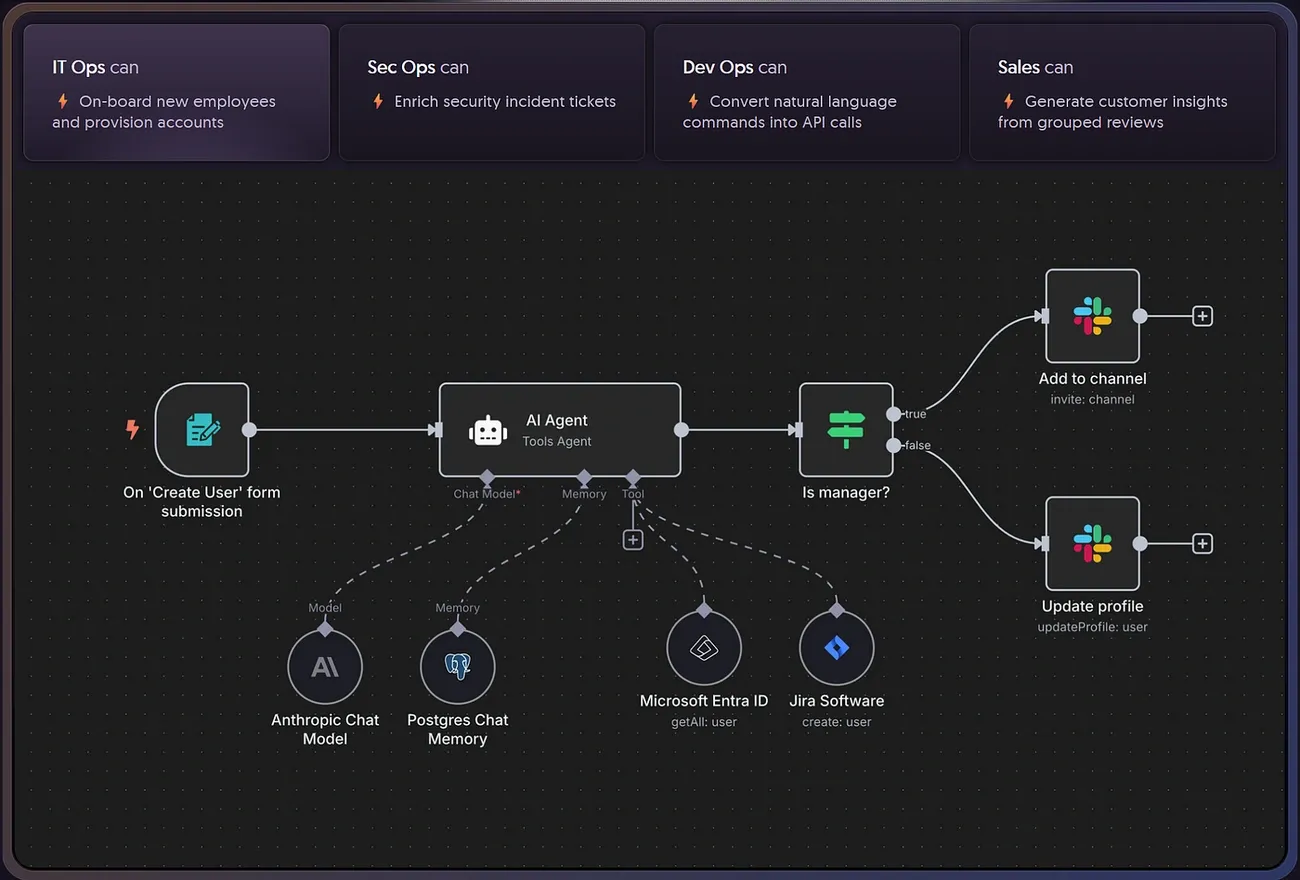
Image Source: Medium
n8n deployment comes with two options – hosted and self-hosted. n8n Cloud gives you a simple way to start with a free trial [11]. Users who need full control over their data can opt for self-hosting that offers more customization options.
Install with Docker
Docker stands out as the best way to self-host n8n. It creates an isolated environment that removes OS compatibility issues and makes database management easier [1]. Here’s how to install n8n with Docker:
-
Get Docker Desktop (Windows, macOS, and Linux) or Docker Engine for Linux systems without GUI [1]
-
Set up a volume to store your data with this command:
docker run -it --rm
-p 5678:5678
-v ~/.n8n:/home/node/.n8n
-e TZ=<YOUR_TIMEZONE>
-e GENERIC_TIMEZONE=<YOUR_TIMEZONE>
-e NODE_ENV=production
-e EXECUTIONS_PROCESS=main
-e N8N_DIAGNOSTICS_ENABLED=false
-e N8N_METRICS_ENABLED=false
n8nio/n8n
Docker Compose gives you better management features in production. You can create a docker-compose.yml file that has PostgreSQL settings to boost performance and reliability [12].
Use environment variables
Self-hosting n8n becomes more flexible with environment variables [13]. These are the main configuration categories:
-
Security settings:
N8N_BASIC_AUTH_ACTIVE,N8N_BASIC_AUTH_USER, andN8N_BASIC_AUTH_PASSWORDfor authentication -
Instance configuration:
N8N_HOST,N8N_PORT, andN8N_PATHto define access points -
Database connections:
DB_TYPE,DB_POSTGRESDB_HOST, and related variables for database integration -
Encryption:
N8N_ENCRYPTION_KEYto secure stored credentials
You can set up configuration through a dedicated file using the N8N_CONFIG_FILES variable that points to a JSON file with your settings [14]. Adding _FILE to certain variables lets you keep their configuration in separate files to improve security [13].
Access the editor
The visual editor opens in your web browser after installation. Docker installations use http://localhost:5678 as the default URL [1]. Production setups with proper domain settings work at your configured domain like https://n8n.yourdomain.com [12].
The first time you access n8n, you’ll need to [12]:
-
Set up an owner account with admin rights
-
Answer a few optional personalization questions
-
Register your community instance to get more features like execution history
n8n’s editor gives you a visual workspace to build and manage workflows. This helps you develop products faster through automation and integration.
How to build workflows in n8n
n8n lets you build workflows by connecting nodes that perform specific actions one after another. The user-friendly interface makes automation simple. You can create complex workflows without knowing much about coding.
Start with a trigger node
Every n8n workflow needs a trigger node to start the automation when specific events happen. You can add your first trigger node by clicking “Add first step.” This opens a panel where you can find available trigger options. Look for the bolt icon that marks trigger nodes in search results. The system offers various trigger types. To cite an instance, the Schedule Trigger lets you run workflows at specific times, like every Monday at 9 AM.
Add and connect nodes
After setting up your trigger, you’ll see a gray dot on the right side of the node. Click this “Add node” connector to open the nodes panel. Search for nodes that match what you need. Each node needs proper configuration based on your requirements. Most nodes need credentials for external services, which you can set up as you configure them. Creating connections between nodes is straightforward – just drag from one node’s connector to another node’s input. These connections create paths for your data to flow.
Use expressions for dynamic data
n8n expressions give you powerful ways to handle data through JavaScript code snippets in double curly brackets ({{ }}). These expressions help you work with data from previous nodes and create dynamic parameters. Tournament, n8n’s templating language, extends JavaScript with special functions. You can access previous node data, use built-in helper functions, work with standard JavaScript methods, and get environment information. These expressions help you write simpler conditional logic, create dynamic endpoints, and transform data quickly.
Test and execute the workflow
Testing helps prove your workflow works correctly. n8n gives you several ways to test. You can run single nodes by clicking “Execute Step” to check their output. Running the entire workflow happens with “Execute Workflow.” The system shows you each stage as it runs and provides logs to help fix issues. Your workflow goes live when you toggle the “Active” switch. This lets it run automatically when trigger conditions match. The system tracks every execution. You can see these records in the “Executions” tab of your workflow or check all workflows’ history in the “Overview” section.
Use cases of n8n in rapid product development
Companies use n8n as a tool to build products faster through different ways that make work easier and more efficient.
CRM automation
n8n reshapes the scene of customer relationship management by automating key processes. Companies can keep their contact records up to date with automatic updates from multiple systems. They can trigger follow-up tasks based on specific CRM events and sync their CRM data with marketing and analytics tools [15]. This automation keeps data accurate, saves sales teams time and helps them make better decisions. n8n works with popular CRMs like Salesforce, HubSpot, and Zoho CRM. This allows data to flow smoothly between marketing platforms and project management applications [4].
Data analysis pipelines
Data scientists use n8n to build automated extraction, transformation, and loading (ETL) pipelines. Traditional approaches need complex coding, but n8n makes this process simple through visual workflows. Teams can create pipelines that gather data from multiple sources. They can clean and process it using nodes like Google Cloud Natural Language for sentiment analysis, then store results in databases like MongoDB or PostgreSQL [16]. These pipelines create automated reports, show trends, and share insights with stakeholders automatically.
Prototyping new features
Development teams use n8n to test and confirm new features before full implementation. Stepstone’s experience shows that n8n makes data source integration 25 times faster. Connections now take about two hours instead of days [3]. SanctifAI reported “dramatic efficiencies in both prototyping and production workloads” with business logic in an easy-to-use framework [3]. Teams can test concepts and get feedback without spending too many resources.
Marketing automation
Marketing teams build smart automation workflows with n8n to boost their campaigns. These workflows help segment audiences, send personalized emails based on user behaviors, and sync ad performance data into analytics dashboards [15]. Dropsolid uses n8n to blend data from different sources. This helps them create individual-specific marketing campaigns and reporting dashboards [3]. The platform’s many integrations make it easy to run marketing efforts on multiple channels at once.
Incident reporting
n8n makes incident management simple through automated reporting systems. Field engineers can report issues through mobile forms while sensors log equipment failures automatically. The right teams get instant notifications [17]. Manufacturing plants use n8n to watch machine health through sensor data. It sends alerts when readings go above safe levels [18]. These workflows keep incident details in databases. This helps teams respond right away and improve systems over time.
Key Takeaways
n8n is a powerful open-source workflow automation platform that bridges the gap between no-code simplicity and technical flexibility, making it an ideal tool for rapid product development and business process automation.
• Self-hosted control with extensive integrations: n8n offers 400+ pre-built connections while allowing complete data control through self-hosting, unlike cloud-only competitors.
• Visual workflow building with code flexibility: Create complex automations through drag-and-drop nodes while maintaining JavaScript/Python scripting capabilities for advanced customization.
• Docker deployment simplifies setup: Install n8n quickly using Docker with persistent storage and environment variables for production-ready configurations.
• Accelerates development by 25x: Teams report dramatic efficiency gains in prototyping and data integration, reducing connection setup from days to hours.
• Versatile automation across business functions: From CRM automation and marketing campaigns to incident reporting and data pipelines, n8n streamlines diverse workflows.
The platform’s node-based architecture, combined with its fair-code licensing model and active community of 200,000+ members, positions n8n as a comprehensive solution for organizations seeking to automate processes while maintaining technical control and customization capabilities.
FAQs
Q1. What is n8n and how does it differ from other automation tools? n8n is an open-source workflow automation platform that combines no-code simplicity with technical flexibility. Unlike cloud-only competitors, n8n offers self-hosting options for complete data control, over 400 pre-built integrations, and supports both visual workflow building and custom scripting.
Q2. How can I set up n8n for my organization? You can set up n8n either through n8n Cloud for a hassle-free experience or by self-hosting. For self-hosting, the recommended method is using Docker, which provides an isolated environment and simplifies database management. You can also customize your setup using environment variables for enhanced security and configuration.
Q3. What are some key features of n8n for rapid product development? n8n offers visual workflow building, extensive integration capabilities, custom code support, and powerful data manipulation tools. It enables teams to prototype features quickly, automate complex processes, and integrate new tools with minimal friction, significantly accelerating development cycles.
Q4. Can n8n handle complex data processing and AI-related tasks? Yes, n8n supports complex data processing through its node-based architecture and expression system. It also offers AI capabilities with nearly 70 nodes dedicated to AI applications, allowing users to build AI agent workflows, create advanced chatbots, and develop analysis tools based on large language models.
Q5. How does n8n improve efficiency in various business functions? n8n enhances efficiency across multiple business functions. It automates CRM processes, builds data analysis pipelines, streamlines marketing campaigns, and facilitates incident reporting. Organizations report significant time savings, with some teams experiencing up to 25 times faster data integration compared to traditional methods.
References
[1] – https://docs.n8n.io/hosting/installation/docker/
[2] – https://github.com/n8n-io
[3] – https://n8n.io/case-studies/
[4] – https://n8n.io/supercharge-your-crm/
[5] – https://n8n.io/
[6] – https://jimmysong.io/en/blog/n8n-deep-dive/
[7] – https://n8n.io/features/
[8] – https://adasci.org/a-hands-on-guide-to-building-multi-agent-systems-using-n8n/
[9] – https://docs.n8n.io/workflows/executions/manual-partial-and-production-executions/
[10] – https://docs.n8n.io/workflows/executions/single-workflow-executions/
[11] – https://docs.n8n.io/courses/level-one/chapter-1/
[12] – https://www.digitalocean.com/community/tutorials/how-to-setup-n8n
[13] – https://docs.n8n.io/hosting/configuration/environment-variables/
[14] – https://osher.com.au/blog/guide-to-n8n-configuration-settings/
[15] – https://www.esferasoft.com/blog/top-use-cases-n8n-workflow-automation-development-growing-companies
[16] – https://blog.n8n.io/automate-your-data-processing-pipeline-in-9-steps-with-n8n/
[17] – https://n8n.io/workflows/7575-automate-incident-reporting-and-alerts-with-forms-google-sheets-and-gmail/
[18] – https://blog.n8n.io/learn-to-automate-your-factorys-incident-reporting-a-step-by-step-guide/